SharePoint-documentbeheer

Bedrijven en organisaties vertrouwen op d.velop-documenten voor M365.




Sharepoint DMS-functies
d.velop SharePoint-documentbeheer
voor Microsoft 365
Op basis van Microsoft 365 biedt d.velop documents for M365 functies die het platform verder ontwikkelen tot een professioneel en uitgebreid documentbeheersysteem (DMS). Digitale bestanden, een full-text- en metadatasearch, sjabloonbeheer en workflows helpen bij het contextgerelateerd verstrekken van informatie en het digitaliseren van bedrijfsprocessen. Dit biedt de volgende voordelen:
- Dankzij integratiemogelijkheden in bekende interfaces zoals Microsoft Teams & Outlook, SAP, Salesforce en Dynamics 365 hoef je niet tussen verschillende applicaties te schakelen.
- Gebruik van het bestaande Microsoft 365-platform en SharePoint Online
Alle belangrijke DMS-functies in één oogopslag
Profiteer van de voordelen van d.velop-documenten en integreer deze naadloos in uw Microsoft 365-omgeving.
- Snelle acties: Configureerbare snelle toegang tot relevante SharePoint-functies en workflows.
- Snel zoeken: geïntegreerde snelzoekfunctie voor directe toegang tot aanvullende SharePoint-inhoud.
- Voorbeeld: Bekijk een voorbeeld van SharePoint-inhoud met bewerking in de browser voor Office-indelingen.

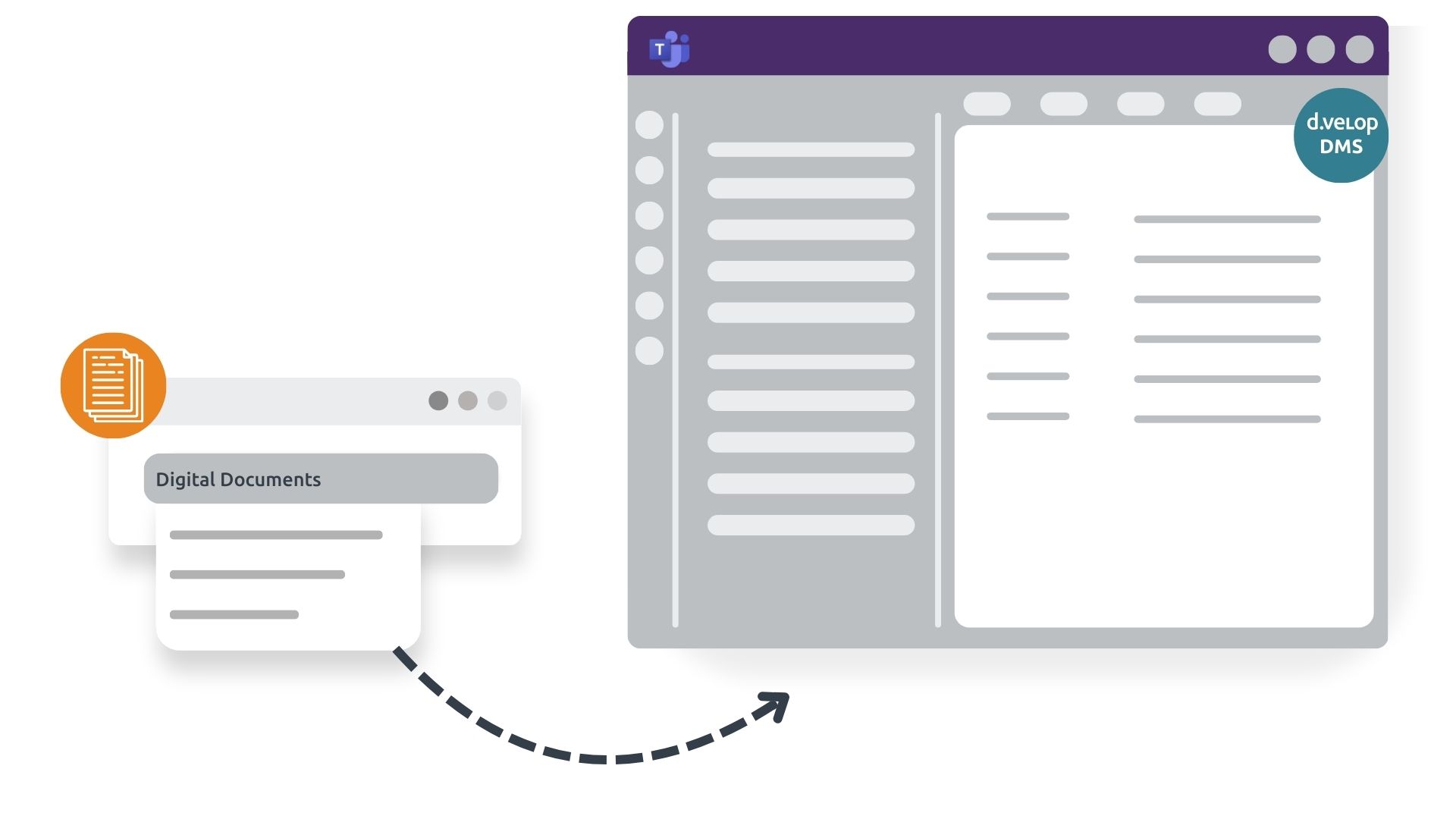
Alle DMS-functionaliteiten direct toegankelijk en beheersbaar vanuit Teams
Profiteer van de native integratie van het DMS in uw Microsoft Teams en heb altijd alle relevante documenten binnen handbereik.
- Snelle toegang: krijg rechtstreeks vanuit Teams-kanalen toegang tot documenten en informatie in de juiste context.
- Directe zichtbaarheid: bekijk communicatiegerelateerde informatie rechtstreeks in uw primaire communicatietool.
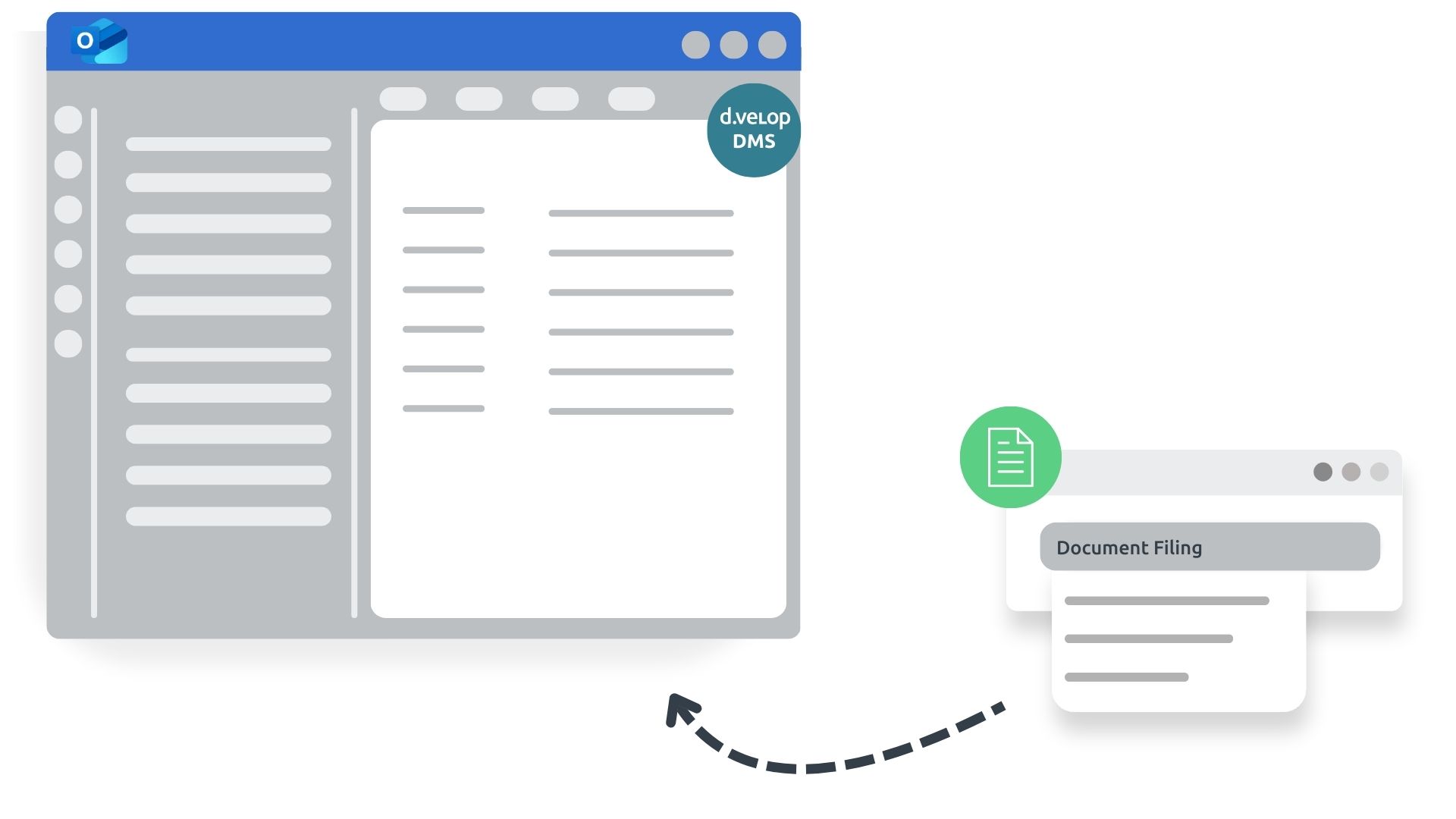
Direct archiveren vanuit Outlook
Met directe archivering vanuit Outlook verhoogt u uw procesefficiëntie en profiteert u van een transparant overzicht van alle documenten die betrekking hebben op een zaak.
- Naadloos documentbeheer: documenten en correspondentie worden rechtstreeks vanuit Outlook gearchiveerd of verwerkt.
- Contextuele e-mailarchivering: E-mailcorrespondentie wordt rechtstreeks in digitale bestanden opgeslagen in de juiste context.

Whitepaper
Geïntegreerd documentbeheer met SharePoint / Microsoft 365
In de meeste bedrijven werkt bijna niets zonder ERP en CRM - maar de verwerking van bedrijfsgegevens en documenten gaat meestal gepaard met lastig schakelen tussen verschillende media en systemen. De integratie van standaardapplicaties met SharePoint / Microsoft 365 maakt het mogelijk om naadloze digitale processen te implementeren.
Lees in deze whitepaper hoe geïntegreerde contentservices kunnen worden gebruikt om naadloze, end-to-end digitale oplossingen te implementeren in SharePoint / Microsoft 365.
Digitaal bestand in SharePoint
Digitale bestanden –
Het hart van uw DMS
Digitale bestanden kunnen worden aangemaakt voor alle vereisten, sectoren of behoeften. Ze zijn veelzijdig inzetbaar. Klanten van d.velop gebruiken gestandaardiseerde bestanden, bijvoorbeeld:
Personeelsdossier
Het digitale personeelsdossier versnelt de afhandeling van HR-processen binnen het bedrijf, zorgt voor transparante workflows en verbetert de informatievoorziening.
Klantendossier
In het digitale klantendossier worden alle gegevens en contracten met betrekking tot een klant op een centrale locatie opgeslagen, waardoor ze altijd digitaal toegankelijk zijn.
Leveranciersbestand
Of het nu gaat om leveringsbonnen, offertes of andere informatie over een leverancier, een digitaal leveranciersdossier brengt alle relevante informatie centraal samen.
Projectbestand
Met het digitale projectbestand kunt u alle documenten rechtstreeks in een centraal digitaal archief beheren. Hierdoor hebben gebruikers overal toegang tot alle projectrelevante materialen.

Wat mij enthousiast maakt over deze oplossing, is dat het voor het eerst een standaardproduct is dat vervolgens kan worden aangepast aan het bedrijf en zijn specifieke behoeften.


Met de extensie d.velop documents for Microsoft 365 verbinden we SharePoint/M365 met SAP ERP en Salesforce, realiseren we volledige transparantie over onze documenten en bedrijfsprocessen en zorgen we voor een juridisch conforme archivering.



Inzicht in documentbeheer met SharePoint en Microsoft 365
Meer d.velop-oplossingen voor Microsoft 365
Factuurworkflow met SharePoint Online in Microsoft 365
Bespaar tijd, geld en middelen met een digitale SharePoint-factuurworkflow.
- AI-gebaseerde factuurherkenning
- Integratie met Microsoft Teams & Outlook
- Naadloze integratie met bestaande systemen (ERP, financieel en voorraadbeheer)

Digitaal contractbeheer met Microsoft 365
Profiteer van de voordelen van contractbeheersoftware:
- Efficiëntie: contracten snel vinden, bewerken, analyseren en vergelijken
- Transparantie: Mis nooit meer een deadline
- Integratie: beheer contracten binnen de vertrouwde Microsoft SharePoint-omgeving

Digitaal personeelsdossier met SharePoint en Microsoft 365
Met het digitale personeelsdossier in Microsoft SharePoint kunt u uw personeelsgegevens efficiënt en overzichtelijk beheren.
- Geautomatiseerde HR-processen
- Beveiligde toestemmingsstructuur
- Locatieonafhankelijke toegang

Integraties
Naadloze integratie in bestaande structuren
Het Gartner Magic Quadrant voor Content Services Platforms erkent d.velop voor zijn sterke integratie-expertise – of het nu gaat om ERP, CRM of andere toonaangevende applicaties. Hieronder vindt u de populairste integraties die door onze klanten worden gebruikt. Klik gewoon om meer te weten te komen!


Nieuws & Bronnen
Uitgebreide handleiding voor documentbeheer met SharePoint in Microsoft 365
Geïntegreerde inhoudsdiensten voor Microsoft 365 en SharePoint

Lees in deze whitepaper hoe geïntegreerde contentservices kunnen worden gebruikt om naadloze, end-to-end digitale oplossingen te implementeren in SharePoint / Microsoft 365.
Contractbeheer effectief gebruiken in SharePoint en Microsoft 365

In dit artikel wordt uitgelegd hoe digitaal contractbeheer met SharePoint en Microsoft 365 de afhandeling van contracten stroomlijnt, ervoor zorgt dat deadlines worden gehaald en belangrijke workflows automatiseert.
Samenwerking bij het beheer van contractlevenscycli voor Microsoft 365

Ontdek in het webinar hoe digitaal contractbeheer met Microsoft 365 eruitziet en hoe u hiervan kunt profiteren. U kunt zich verheugen op een live demo van de oplossing. Na afloop kunt u de oplossing zelf uitproberen en u laten overtuigen.
SharePoint vs. Teams – Welke toepassing is beter geschikt voor documentbeheer?

Ontdek in dit blogartikel wat de verschillen tussen deze applicaties zijn en welke u het beste kunt gebruiken in verband met documentbeheer.
Veelgestelde vragen
Veelgestelde vragen en antwoorden over documentbeheer met SharePoint
Microsoft biedt goede basisfuncties voor documentbeheer, zoals versiebeheer of de mogelijkheid om meta-informatie over documenten bij te houden. Deze meta-informatie moet echter handmatig worden onderhouden. Belangrijke interfaces met ERP/CRM-systemen, integratie in Outlook of de mogelijkheid om met virtuele bestanden te werken zijn niet beschikbaar in de Microsoft-standaard. Dit is precies waar d.velop om de hoek komt kijken en Microsoft 365 uitbreidt tot een compleet platform voor documentbeheer.
Alle documenten worden opgeslagen in uw Microsoft 365-tenant in SharePoint-documentbibliotheken. U hebt te allen tijde volledige toegang tot alle documenten.
Ja, met een beetje oefening kun je je eigen bestandsstructuren maken.
Er zijn twee manieren om metadata te bepalen:
1. documenten worden via drag & drop op een bestand gedropt (bijv. in Outlook of in de browser).
Als documenten via drag & drop worden gedropt, wordt de meta-informatie bepaald aan de hand van bestaande bestandsinformatie.
2. documenten worden automatisch gelezen door onze classificatiesoftware.
De classificatiesoftware leest het volledige document via OCR en classificeert het vervolgens in detail.
Er zijn twee opties voor het delen en bewerken van documenten met externe partners:
1. individuele documenten delen
2. meerdere documenten delenTeilen von mehreren Dokumenten
De eerste optie kan bijvoorbeeld een uitwerking zijn die gezamenlijk is opgesteld met een externe bedrijfsjurist of een klant/leverancier.
In dit geval biedt de deel-functie, die rechtstreeks vanuit het bestand kan worden opgeroepen, ondersteuning. Afhankelijk van de instellingen op het betreffende klantensysteem wordt het delen met externe personen buiten de organisatie geactiveerd of gedeactiveerd. Mogelijk moeten er aanpassingen worden gedaan in de administratie om extern delen mogelijk te maken.
De tweede variant komt vaak aan de orde wanneer het huidige proces een groter project betreft. Een voorbeeld hiervan is wanneer meerdere documenten uit een bestandsstructuur beschikbaar moeten worden gesteld aan onderaannemers om te downloaden of te bewerken. In dit geval moet u nader bespreken wat in uw specifieke geval belangrijk is. De meest voorkomende variant is dat documenten beschikbaar kunnen worden gesteld om te downloaden of te bewerken in een beveiligd SharePoint-gebied.
Contact & Advies
Wij verbinden data en mensen – en kijken ernaar uit om van u te horen.
Nieuwsgierig geworden? We laten u graag onze software zien.
Vraag eenvoudig een live demo aan.