

In everyday business, it’s easy to lose track – data is everywhere, but often hidden away. The result? Data chaos – battling data silos, endless searching, manual work and a lack of clarity. But it doesn’t have to be that way! Integration is the key to successful digital transformation, ensuring efficiency and competitiveness. We’ll explain how seamless connections between SAP, Microsoft 365, Dynamics 365, Salesforce and many other systems can optimise your business processes.
The world’s most valuable resource is no longer oil, but data
The Economist, 2017
Thanks to new technologies, the digital world is spinning faster than ever. When it comes to artificial intelligence, there’s no sign of slowing down. AI needs data to function. So today, data is the key to boosting efficiency and forms the basis for decision-making. But how can integrations support your daily work with data? What role does AI play? Where do you find the right data? How can your systems work hand in hand?
Definition: Data chaos
Every company works with different systems such as Salesforce, Microsoft Teams, Excel and/or an ERP system. As a result, data and documents accumulate in various places. You have to search through multiple systems before finding the information you need. And even then, annoying questions arise: Is this the latest version? Is there another document base? Where should I store new documents so my colleagues can easily find them? All these questions, all these different storage locations, all these masses of unsorted data lead to an overwhelming data chaos.
Rethinking contract processes: Insights from practice
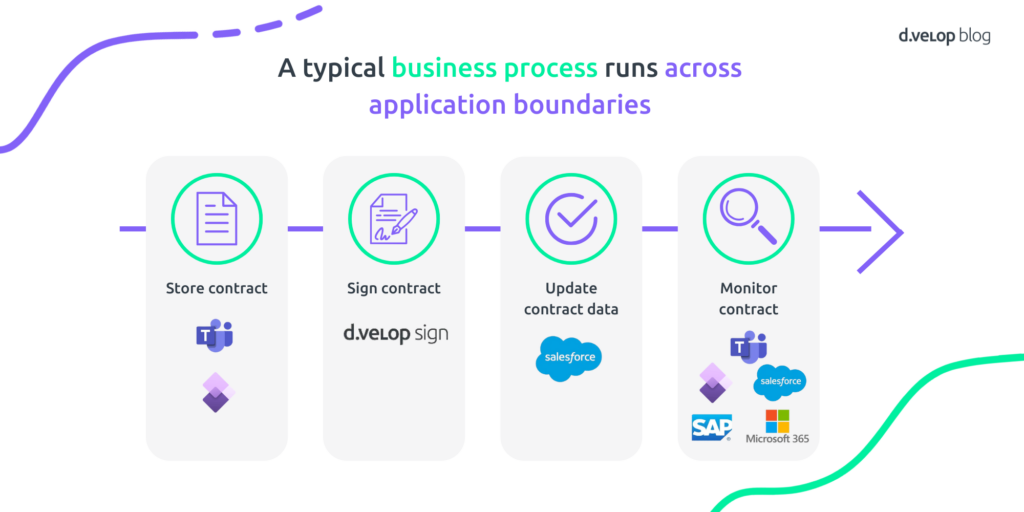
In a typical contract process within a company, there are various systems and data points involved in different steps – but how do we turn this into a data party? Simple: why keep jumping between systems when everything can be done in one place!
1. Manage contracts in Microsoft Teams
Thanks to seamless integration with d.velop documents in Microsoft Teams, all contract-related documents (e.g. for a supplier) can be found directly in the relevant file – no system switch required!
New contracts and documents can easily be stored via drag & drop. A filing dialog then opens, where properties such as contract number, customer number and customer name are automatically pre-filled. This information comes directly from the leading system, e.g. Microsoft Dynamics 365 Finance & Operations, and is linked to the supplier file. This saves time and reduces typing errors. After saving, the document appears in the Microsoft Teams interface and you can work with d.velop documents’ context actions, including:
2. Simple digital signing
Documents can not only be stored but also processed, reviewed or signed with d.velop sign – all without leaving Teams. Thanks to the shared data basis, colleagues who don’t use Microsoft Teams can still open and edit the contract in their respective system (e.g. Microsoft Dynamics F&O). Documents related to the process can always be accessed anywhere.
3. Salesforce joins the party too
When a contract is stored, a prepared process in d.velop process studio is automatically triggered. This informs Salesforce that a new contract document is available. Through the d.velop connect for Salesforce integration, a corresponding record is created – fully automatically. This means d.velop documents is also seamlessly integrated into Salesforce.
With d.velop pilot, information from the contract can be automatically entered into Salesforce: the Salesforce Agentforce window opens and requests document details. The summary is displayed to the user for confirmation by d.velop pilot – and saved automatically upon approval. So Salesforce users also have all relevant contract information at a glance without lengthy searches.
4. Contract processes that are actually fun
All systems and departments in the company access the same data basis. Whether in Teams, Dynamics or Salesforce – contracts are always available where they’re needed. This ensures optimal contract monitoring, transparency, efficiency and a new ease in contract management.
The data chaos is over – let the data party begin.
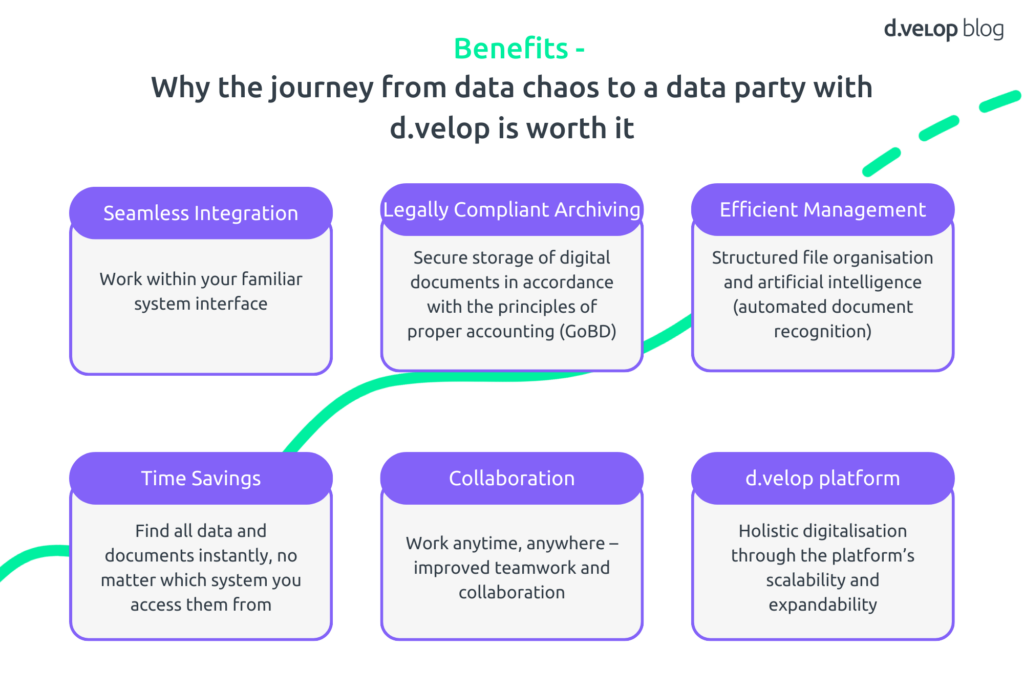
Why the journey from data chaos to a data party with d.velop is worth it
Thanks to seamless integration, users can work within their familiar system interface. Legally compliant archiving ensures the secure storage of digital documents in accordance with GoBD. Efficient management is enabled through structured file organisation and the use of artificial intelligence for automated document recognition. In addition, d.velop saves time by making all data and documents quickly searchable across systems. The platform promotes collaboration by supporting location- and time-independent working as well as improved teamwork. Finally, the d.velop platform offers extensive possibilities for holistic digitalisation thanks to its scalability and expandability.
Outlook – Next Steps for the Data Party
Salesforce
- d.velop meets Salesforce meets d.velop: communication in both directions
- Automation across system boundaries
- Integration with d.velop process studio: for creating dossiers when an account is set up, assigning tasks and generating records, etc.
- Integration with d.velop pilot (enriching records, summarising documents, searching documentation to improve support/service)
SAP
- SAP BTP (Business Technology Platform) and SAP Fiori → cloud strategy (migration to the cloud)
- We are prepared for innovations in the BTP area, such as our integration into SAP Fiori (e.g. payment advice)
- Also integration into SAP BTP = d.velop SAP integration service (including S/4 HANA / SuccessFactors or Ariba)
Microsoft 365
- d.velop contracts for M365: contract management with AI support
- d.velop documents for M365: the centre gets an update, Outlook integration and a more intuitive interface through a new application design
- Teams integration: seamlessly integrate d.velop documents into chats/channels/meetings
Dynamics
- Integration into Microsoft Dynamics 365 ERP/CRM systems (such as F&O, BC, Sales)
- Implementation of ad-hoc synchronisation between Dynamics and d.velop smart invoice (synchronise purchase order = order is immediately synced with smart invoice). This will be expanded and made possible in Business Central (already available in Finance & Operations).
- Integration of ledger for Dynamics Finance (when smart invoice is connected, all invoices can be displayed so the accountant has one interface for all invoices)
- Provision of master data from Microsoft Dataverse in d.velop Business Objects (master data should be available through integration)
Conclusion: Integration for the Data Party
What used to be tedious, confusing and time-consuming has now become a real success factor: data. But this only works if data is structured, accessible and intelligently connected. This is exactly where d.velop integrations come in: they seamlessly connect systems such as Microsoft 365, Dynamics 365, SAP and Salesforce, creating a shared data basis that all employees can access.