

Have you ever experienced this? You are looking for an urgent invoice or an updated work instruction, yet despite all efforts it is nowhere to be found. Chaos in document control is part of everyday life in many organisations, especially with the growing mix of analogue and digital content such as business letters, incoming invoices or checklists. Efficient control of these documented pieces of information is not just a matter of organisation – it is essential for a company’s success and compliance.
A well-designed document management system (DMS) helps you create documents, manage them in a legally compliant way and make them available in an instant. In this article, we explain how smart Digital Document Control works and how your organisation can benefit from it.
What Is Document Control?
Document control refers to the systematic management of documents throughout their entire lifecycle within quality management. This includes every stage from creation and editing to versioning, review, approval, distribution and finally archiving or disposal.
A well-structured approach to Digital Document Control ensures that all changes are traceable and that the most up-to-date version is always available. This is particularly crucial in regulated industries, for example those operating under ISO 9001 requirements, where meeting legal obligations, ensuring quality and increasing efficiency rely on a reliable electronic document control system.
Rely on the topicality and quality of the digital documents
The goal of document control is to ensure regulated, secure and efficient access to relevant information, whilst at the same time, adhering to compliance regulations. This means that all documents in the DMS are always up to date in respect of their processing status and the information they contain. This ensures that everyone can rely on the quality of the written material.
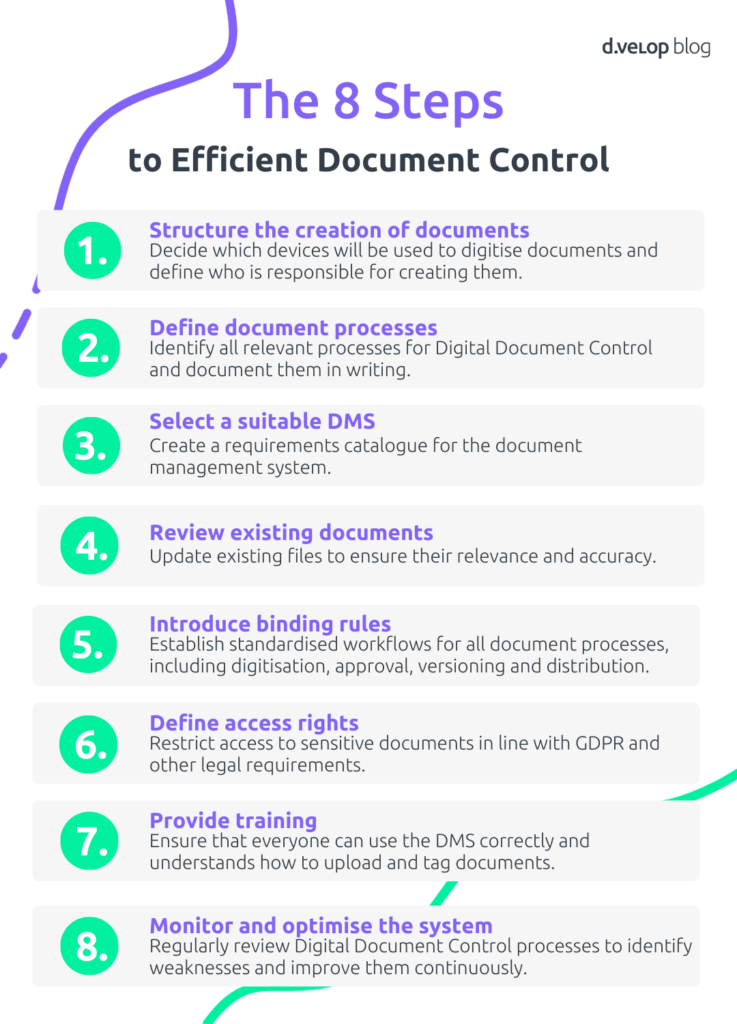
8 Key Steps for Efficient Document Control
Efficient document control, also known under the term document “document management”, is of great importance for the success of the company. Files and documents are an important part of daily business ongoing operation and it is essential, to manage them according to established rules in order to achieve a consistent quality standard.
A central element of effective Digital Document Control is the automation of recurring processes. Standardised workflows ensure that documents are accessible, up to date and editable at any time and from any location. For ISO-certified organisations, steps 1, 2, 5, 7 and 8 are particularly important to meet the ISO 9001 requirements for controlled documents within an electronic document control system.
1. Structure the Creation of Documents
Decide which devices, such as scanners or mobile apps, will be used to digitise documents and define who is responsible for creating them. Specify which metadata, for example keywords or categories, must be stored and ensure that all legal requirements, including those relating to archiving, are met.
2. Define Document Processes
Identify all relevant processes within Digital Document Control and document them in writing. Assign responsibility for reviewing, approving and deleting documents, particularly for sensitive records such as contracts or incoming invoices. A digital contract management system with deadline tracking can be especially valuable here.
3. Select a Suitable DMS
Create a requirements catalogue for the document management system, considering factors such as compatibility with existing systems and functions like user permissions or digital file management. Compare different providers and select an implementation partner.
4. Review Existing Documents
Update existing document collections to ensure data relevance and accuracy. Archive outdated or irrelevant files to improve efficiency and search performance while complying with legal regulations. Most document management systems allow rules to be configured so that documents are automatically flagged for deletion once their retention period expires. Updated files also become easier to find because they are categorised and tagged more effectively.
5. Introduce and Configure Binding Rules
Establish standardised workflows for all document processes, including digitisation, approval, versioning and archiving. Consistent guidelines ensure that all employees work in a uniform manner.
6. Define Access Rights
Restrict access to sensitive documents in line with GDPR and other legal requirements. Ensure that only authorised individuals can view confidential information.
7. Provide Training
Ensure that all employees can use the document management software and share a clear understanding of how documents must be uploaded and tagged within the electronic document control system. Emphasise that adherence to these rules is mandatory. This not only accelerates work in a paperless office and guarantees long-term findability but also ensures compliance with ISO 9001 standards for controlled documents.
8. Monitor and Optimise the System
Carry out regular reviews of your Digital Document Control processes to identify weaknesses. Continuously optimise workflows so that the system remains efficient, meets security standards and adapts to new requirements.
💻 Project guide: Successful Introduction of Digital Dossiers in 3 Phases
In the project guide “Successful Introduction of Digital Dossiers in 3 Phases”, you will learn the process for introducing digital dossiers—from the preparation phase to implementation and establishment in the company.
Benefits of Professional Document Control
Increased Efficiency through Digitalisation
Professional Digital Document Control significantly increases organisational efficiency. With electronic administration and full-text search, you can access the information you need within seconds – at any time and from any device. OCR technology even enables the search of text contained in image files such as photos or PDFs. Automated processes reduce manual effort, ease the workload for employees and free up capacity for more strategically important tasks. At the same time, costs for paper, printing, postage and physical storage are considerably reduced.
Structured Organisation and Simplified Collaboration
Digital Document Control enables clear and structured organisation within digital folders. Documents can be categorised efficiently and stored centrally, making shared access straightforward. Central storage improves seamless collaboration across teams, regardless of location. This leads to greater project transparency and more effective communication within the organisation. Keep an eye on legal requirements so that potential changes to retention periods can be embedded directly in the system.
Audit-Proof Archiving and Data Security
Another key advantage is the security and traceability of digital documents. A document management system (DMS) protects sensitive information from loss, damage or unauthorised access when correctly configured. It also ensures audit-proof archiving in accordance with GoBD requirements. This means documents are stored in a complete, unalterable and legally compliant format – essential for organisations that place value on compliance.
Conclusion
A well-structured approach to Digital Document Control is essential. This approach helps organise documents transparently throughout their entire lifecycle and makes internal processes more efficient. It also enables fast retrieval of files, while clear processing workflows support daily work. Automation reduces errors and relieves employees of repetitive tasks. As a result, teams gain more time for strategically important activities.
In addition, a structured document control strategy improves data quality and ensures full transparency across your entire electronic document control system – a decisive advantage, especially during operational or tax audits. With a reliable system in place, you can be confident that all documents are up to date, complete and archived in a legally compliant manner.
As a software provider, d.velop offers a powerful document management system and innovative tools such as the d.velop process studio. With these tools, you can model and automate Digital Document Control processes visually. You can also adapt them flexibly to the specific needs of your organisation. Choose d.velop to increase efficiency, transparency and security across your organisation. This helps you make full use of the benefits of future-oriented digital process design.
Questions about Document Control
Document control refers to a structured process that ensures documents within an organisation are created, approved, updated, distributed, archived and managed in an orderly manner.
Document control ensures that all documents are current, accurate and easily accessible. It helps prevent errors, increases efficiency and supports compliance with regulatory requirements.
A variety of tools can support Digital Document Control. These include document management systems (DMS), collaboration tools or workflow tools. The right choice depends on the specific needs of the organisation and how comprehensive the electronic document control system should be.