

Managing documents and information is an essential part of every business process. Because many of these processes run across different IT systems, documents can be created and stored in numerous locations. For business processes to run smoothly, it is crucial that all stakeholders have access to all relevant documents and information at any time – regardless of whether they have access to the original IT system. An efficient document management system supports this approach and plays a key role in the overall success of an organisation.
What Does Salesforce DMS Mean?
A DMS is a document management system. When referring to DMS for Salesforce, we mean a solution that enables automated and comprehensive management of documents and information directly within Salesforce. A DMS is database-driven, provides broad, cross-application accessibility and ensures secure document archiving within any organisation connected to Salesforce. This improves collaboration and ensures that all necessary information is easy to find, access and manage.
Why Is Document Management in Salesforce Essential?
Because companies use numerous different IT systems, documents are generated in many places. To ensure cross-system access to all documents, a document management system (DMS) should be used. Organisations that rely on a DMS benefit from a complete 360-degree view of their business processes.
Below are examples of departments that can be optimally organised with a DMS integrated in Salesforce:
Sales
In sales, a DMS is often used for electronic customer records, where all documents, contracts and orders related to a client are stored in one central place. Sales teams gain quick access to important emails, contracts and order documents from different systems — allowing them to find all relevant information in a single view.
Accounting
In accounting, a DMS supports both incoming and outgoing invoice processing. Paper and PDF invoices are scanned, data is extracted and automatically transferred into the ERP system. Electronic workflows replace manual approval processes, saving time and increasing transparency.
Across the Organisation
A DMS can also be used for approval processes such as holiday requests or travel planning — particularly when not all employees have a Salesforce licence. As a result, paper-based workflows can be digitised and handled centrally.
The Efficiency Multplier: Uniting Salesforce, SharePoint & Microsoft 365 to give you a competitive edge
How a Salesforce DMS Helps Overcome Major Challenges:
- Unstructured Storage and Duplicates
In Salesforce, documents are often stored by different users in different locations, which can easily lead to duplicates and miscommunication. A document management system uses predefined filing structures – for example, a digital file – to ensure consistent document storage. This makes it much easier for employees to access the information they need at any time. - Limited Search Capabilities
Traditional file systems do not offer advanced search options such as “invoices from ACME LTD before 01/01/2014”. A DMS, however, provides extended search functions, including full-text search and the ability to save complex search queries for future use. This significantly improves efficiency and findability across all departments. - Lack of Protection Against Unauthorised Changes and Missing Attribute-Based Access Rights
Modern DMS solutions offer audit-proof archiving to prevent unauthorised modifications during legally required retention periods. Versioning ensures that each change creates a new version instead of overwriting previous ones. Attribute-based access rights allow clear differentiation between read and write permissions. In Salesforce, however, permissions can only be defined at record level, which limits security and flexibility.
Native Salesforce Document Management Features
Salesforce already provides several areas for storing and managing documents. These include:
- Files Home
Users can upload private documents and share them with colleagues for collaborative use. Uploaded files can be viewed and edited from any device. - Salesforce CRM Content
This tool allows users to create different types of documents, share them with team members, collaborate on them or share them with external users. - Salesforce Knowledge
Articles created for knowledge transfer can be organised into themed libraries and shared via a web portal with colleagues or external users. - Documents Tab
Used to store Visualforce documents, such as logos. - Attachments
Allows different file types (e.g. contracts, offers) to be attached directly to Salesforce records.
Files uploaded to these libraries can then be found through Salesforce Global Search. They can be ranked or made more discoverable through metadata such as title, description or tags.
However, approval workflows for document management can only be implemented via Process Builder, Flows or custom logic.
Salesforce also offers Salesforce Files Connect, which allows native connections to storage services such as Google Drive, OneDrive, Box and others. However, this functionality comes with several limitations. For internal collaboration on documents, Salesforce offers Chatter, enabling users to link files within chat feeds and notify colleagues. Yet collaboration features remain limited, especially on mobile devices.
Once a file has been uploaded to Salesforce, users have access to several functionalities:
- Viewer: Displays the document in a preview window, but without advanced features such as zooming.
- Download: Simple file download.
- Share: Share documents with internal Salesforce users.
- Public Link: Create a public link that allows external access to the document.
- Upload New Version: Add a new version of the document.
- File Details: Store limited metadata such as title and description.
Additionally, files can be shared with other users, who can follow changes via “Follow”. However, there are restrictions on mobile devices that limit document editing capabilities.
Third-Party Salesforce Document Solutions
Although Salesforce provides a range of native features for document management, structured filing and external access often remain challenging. For this reason, many third-party solutions exist that make document management for Salesforce significantly more efficient and scalable than the standard tools.
Why d.velop documents for Salesforce Takes Your Document Management to the Next Level
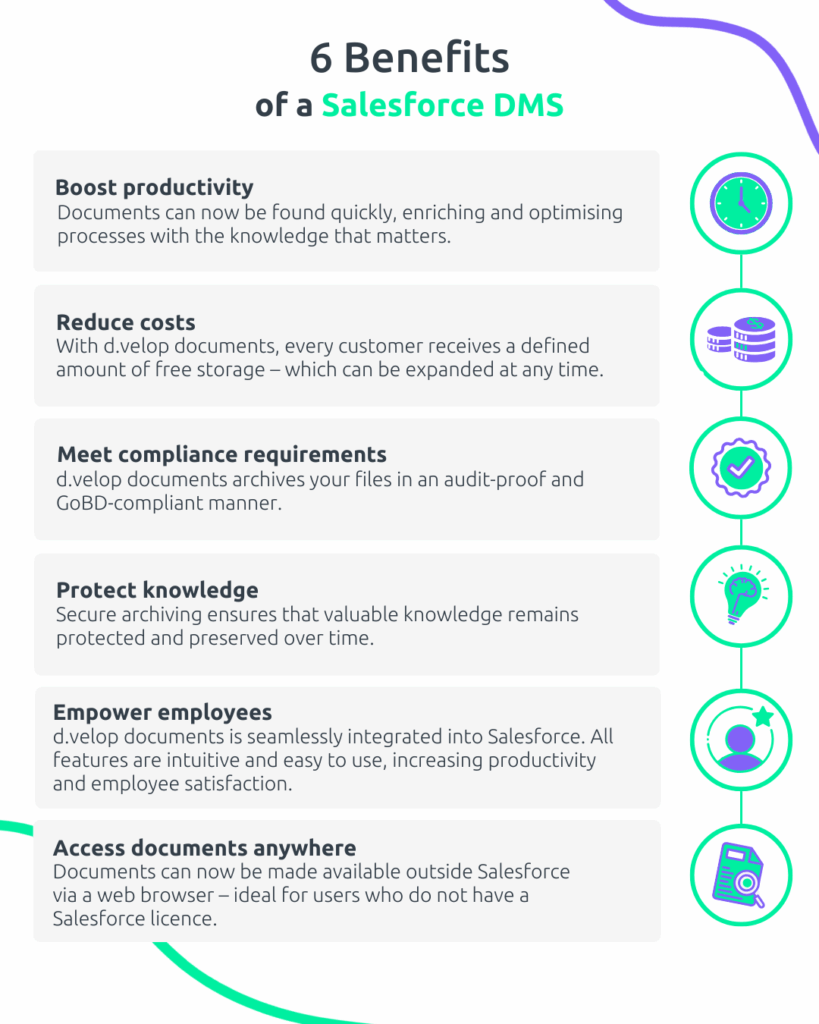
The archive is seamlessly integrated into Salesforce and supports both standard and custom objects. It provides a comprehensive document viewer as well as OCR-based full-text recognition, which also enhances Global Search within Salesforce.
In addition, you can make full use of all d.velop cloud functionalities, including workflows, digital signatures and digital files. Documents can be linked to multiple records, and administrative tasks can be automated via Salesforce Flow to reduce manual effort and ensure process consistency. Salesforce reports can also be enriched with DMS-related information.
Thanks to integrated audit-proof archiving, all changes made to documents remain fully traceable. If required, an older version can easily be restored using the intuitive file versioning feature.

Moreover, d.velop is a certified AI Specialist for generative AI and its use within Salesforce. The Salesforce AI Specialist certification is an in-depth qualification focusing on generative AI and its application across the Salesforce platform. Certified specialists are able to configure and apply Einstein AI tools in Salesforce, and they can clearly explain the features and benefits of the Einstein Trust Layer.
This means your organisation is already ideally positioned for the future of artificial intelligence with d.velop documents for Salesforce and can take full advantage of the new opportunities for more efficient and intelligent work.
💻Book Software Demo
Experience the power of d.velop’s software with a personalised live demo, easily requested with just a few clicks. Watch as the software comes to life before your eyes and ask any questions you may have in real-time.